Electrician Website Design: What Your Website Needs to Win More Jobs
The short answer
Electrician website design has to prove you are qualified before anyone calls, because homeowners can’t judge electrical work themselves. Show your state license, master electrician and permitted, inspected work in the first screen, give every service its own page, be clear about emergency availability, share price ranges where you can, and back it up with projects and reviews.
Electrical work is hard for customers to judge, so your website has to prove you’re qualified before they call. Here’s what an electrician website needs to win more jobs.
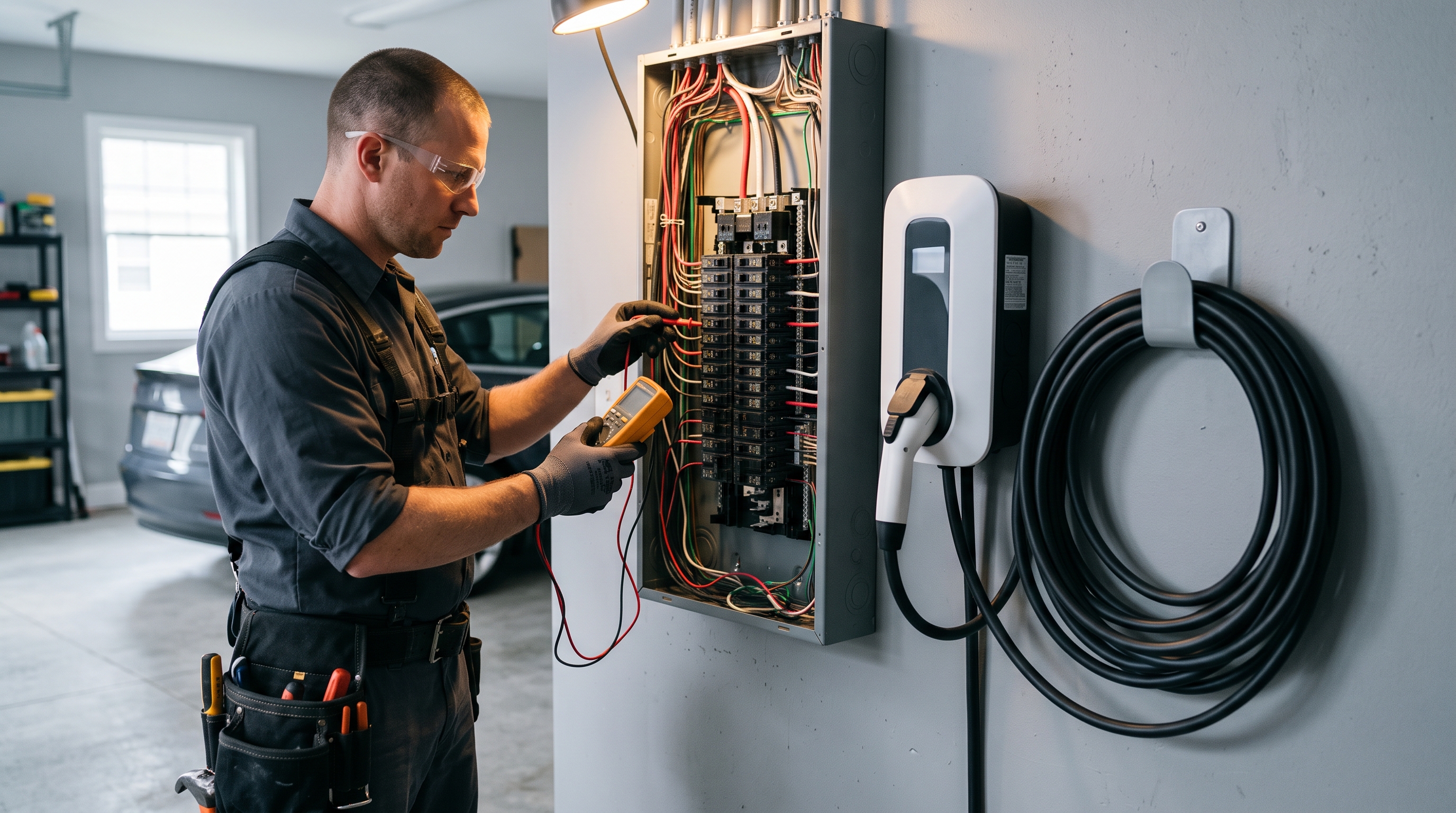
Most homeowners can’t judge electrical work. They can’t see inside the panel, and they know mistakes can start fires. So when they look for an electrician, they’re mainly asking one question: can I trust this person in my house?
Good electrician website design answers that question fast, then makes it easy to book. This guide covers what an electrician website needs, whether you run a two-truck residential service business or a commercial electrical contractor.
Residential service or electrical contractor?
The right site depends on who you sell to.
- Residential and light commercial service. Homeowners and small businesses with a specific problem or project. They want to know you do the job, you’re licensed, you can come soon, and roughly what it costs.
- Commercial and industrial electrical contractors. GCs, owners and facility managers. They want project experience, capacity, safety record, bonding and the ability to handle design-build or prefabrication.
Many firms do both. If you do, give each audience its own clear route through the site rather than mixing them on one page.
Lead with qualifications
For electricians, credentials do more selling than any headline. Show them in the first screen and again near every form:
- State electrical contractor license number, with a link to the state lookup if one exists
- Master electrician on staff, and the licenses your technicians hold
- Licensed, bonded and insured
- Permits pulled and work inspected, stated plainly
- Manufacturer certifications, such as EV charger or standby generator dealer programs
- Years in business and jobs completed
A line like “Every job permitted and inspected, licensed master electrician on every project” reassures more than “quality electrical services”.
Give every service its own page
People search for the job they need. Common electrician service pages include:
- Electrical panel upgrades and replacements
- EV charger installation
- Whole-home rewiring
- Lighting installation, indoor and outdoor
- Standby generator installation
- Troubleshooting and electrical repairs
- Smart home and surge protection
- Commercial tenant improvements and service
Each page should explain what the job involves, why someone might need it, how long it takes, whether a permit is required and, where you can, a typical price range. EV charger and panel upgrade pages work especially well when they answer the questions customers ask most, such as “Will my panel handle a Level 2 charger?”
Be clear about emergency availability
Power outages, burning smells and tripping breakers are urgent. If you take emergency calls:
- Put a tap-to-call number in the header and a sticky call button on mobile
- Say exactly when you’re available, such as 24/7 or evenings and weekends
- Give a realistic response time
- Add a short safety note on what to do while they wait
If you don’t do emergencies, say so politely and point to your normal booking times. Clear expectations beat missed calls.
Show where you work
Service area pages help you show up for searches like “electrician in Scottsdale” or “EV charger installation Tempe”. Create a page for each main city or county, with local details: typical housing ages, common issues in older neighborhoods, and recent jobs in that area. Add a simple map or list of the ZIP codes you cover.
Prove it with project experience
Electrical work isn’t always photogenic, but it can still be shown well:
- Before and after photos of panel upgrades, with a short note on what changed
- EV charger installs, showing the finished unit and clean conduit runs
- Lighting projects, photographed at night
- Commercial projects with scope, square footage, timeline and GC
For commercial electrical contractor websites, three detailed case studies usually beat a large gallery. GCs want to see you’ve handled jobs like theirs.
Put reviews where they matter
Pull reviews onto the pages they relate to. A review about a fast, tidy panel upgrade belongs on the panel upgrade page. One about a clean EV charger install belongs there. Show your overall Google rating near the top of the homepage and link to your profile.
Be open about pricing
Customers are nervous about surprise bills. Even if every job is quoted, you can still share your service call or diagnostic fee, price ranges for common jobs like EV charger installs and panel upgrades, and whether you offer free estimates for larger projects. Transparency here filters out poor-fit leads and makes the rest more comfortable calling.
Electrician website SEO
- Use “Electrician” as your primary Google Business Profile category, and add secondary categories for your main specialties
- Add Electrician schema markup to the site
- Write title tags that name the service and city on every page
- Publish answers to real questions, such as whether an older home needs rewiring or what an EV charger install involves
- Keep your name, address and phone number identical across Google, Yelp, BBB and your state license record
For the full picture, read our guide to SEO for contractors.
Electrician website ideas and examples
Our Voltline demo shows several of these ideas working together: a dispatch-status widget that signals speed, credential badges directly under the hero, and service cards for EV chargers, panels and smart-home work. For more electrician website examples across trades, see our construction website examples.
A few more ideas:
- A “Do I need a panel upgrade?” checklist that ends in a booking button
- A short video of your team explaining your safety process
- Photos of your own technicians, vans and uniforms
Redesign or new build?
If your current electrician website is slow, missing service pages, hides your license, or doesn’t work well on a phone, a rebuild usually brings a faster return than paid ads. Keep your existing URLs, or redirect them, so you don’t lose rankings. For the general principles, read construction website design: what a high-converting contractor website needs.
Electrician website FAQs
Should I show my license number on my website?
Yes. Many states require license numbers in contractor advertising, so check your state’s rules, and it’s one of the fastest ways to build trust with homeowners and GCs.
What services should an electrician website list?
Every service you want more of, each on its own page. Panel upgrades, EV chargers, generators and rewiring are common high-value pages for residential electricians.
How can electricians get more leads from their website?
Make calling easy on mobile, put credentials and reviews near every call to action, and build pages for each service and city you serve. Then track which pages produce calls and improve the rest.
Is a separate commercial section worth it?
If commercial work is part of your business, yes. GCs and facility managers look for project experience, safety records and capacity, which homeowners don’t need to see.
Get an electrician website built
We build electrician websites that lead with your qualifications and make booking easy, at a fixed price from $2,000, live in seven days. See our website design for electricians page or book a free 15-minute call. For other ways to fill your schedule, read how to get more construction leads.
Want a website that brings in work like this?
Fixed price, live in seven days, built only for construction firms. Book a 15-minute call and we will tell you straight what we would do.